
Exploring the Future
AI for Beginners
Objective: Understand how to obtain quality responses from ChatGPT.
Content:
- Using the “temperature” parameter to control response randomness.
- Using the “max_tokens” parameter to limit response length.
- How to avoid offensive or inappropriate responses.
- Examples of prompts to achieve desired results.
Transcript of the lesson
Welcome to the third lesson of our ChatGPT course. In the previous lessons, we explored the basics of ChatGPT and data preparation. In this lesson, we will focus on optimizing the responses generated by ChatGPT. We will delve a bit more into technical details, but don’t worry. Remember, if you missed the previous lessons, you can find them on our YouTube channel. You can also leave a like or a comment on our Facebook page and maybe visit our website. But now, let’s get started.
Today, we will explore an important aspect to make the most of this powerful tool: parameters.
Parameters are the control levers that allow you to shape ChatGPT’s behavior in a personalized way. You can think of them as the conductors of an orchestra, where you can decide the pitch, tempo, and volume of the model’s generated responses. Each parameter has a specific role and influences the responses in unique ways. Today, we will examine two of these fundamental parameters: “Temperature” and “Max Tokens.”
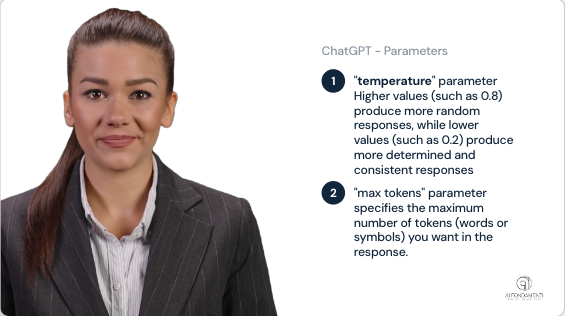
Let’s start with an important tool: the “temperature” parameter. This parameter controls the randomness of the responses generated by ChatGPT. Higher values (such as 0.8) produce more random responses, while lower values (such as 0.2) produce more determined and consistent responses.
Another parameter to consider is the “max tokens”. This parameter limits the number of tokens (words or symbols) in ChatGPT responses. It can be used to avoid overly long or unclear answers.
Let’s see some examples?
To better understand the concept, let’s look at two practical examples.
“Give me 3 names for a yellow canary, temperature=0.1”
In this first example, we have set the temperature to a very low value 0.1. This means that ChatGPT will give extremely consistent answers based on well-defined information. Here’s what we get:
- Sunshine
- Lemon
- Canary
As you can see, the answers are very consistent and follow expectations and are also a little basic.
If instead we change the parameter to 0.8 we obtain a more creative result:
- Saffron Serenade
- Zephyr Sunshine
- Citrine Whimsy
Second parameter max tokens
Instruction 1:
“Describe Einstein’s theory of relativity, max tokens=50”
Instruction 2:
count tokens in previous answer
Repeat with instruction : “Describe Einstein’s theory of relativity, max tokens=100”
Check, count and if needed ask for a correction with something like that:
Instruction: reduce previous answer to 100 tokens
Now let’s move on to the second parameter: The “max tokens” parameter is the command that imposes a limit on the number of tokens (words or symbols) present in the responses generated by ChatGPT. This is especially useful when you want to avoid overly long or unclear answers.
To better understand the concept, let’s look at two practical examples.
Let’s ask ChatGPT
“Describe Einstein’s theory of relativity, max tokens=50”
We let the result come together and then ask for a check of what was produced. For example, let chatGPT count the tokens.
The response is satisfactory and respected the parameter. The result produced is 21 tokens. Not a surprise. After all, English is a concise language.
Now we can change the request to a longer number of characters and see how it behaves. For example we can indicate 100 tokens as the limit.
Again we let the response generate and then proceed to verify it.
I take this opportunity to repeat a concept that we have already mentioned: tokens. “Tokens” are the basic units into which a text is divided, which can be words or even individual characters in some cases. For example, the phrase “ChatGPT is awesome!” is made up of four tokens: “ChatGPT”, “is”, “awesome”, and the exclamation sign.
This time it didn’t go well. The answer is too long.
we check if we had set the parameter correctly and then ask ChatGPT to correct it,
In some cases, the use of extreme parameters, such as very low temperatures or very tight “max tokens” limits, may impact ChatGPT’s ability to produce consistent responses, as such settings may excessively restrict the creativity or length of responses. Therefore, it is always very important to evaluate the accuracy of the answers.
It is important to carry out an additional check, and ask for improvement if needed. Remember that ChatGPT does not truncate sentences and has some tolerance in the length of responses, which may vary slightly below or above the specified limit.
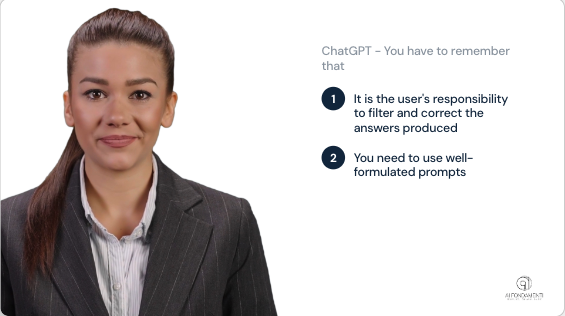
It is important to note that ChatGPT may generate inappropriate or nonsensical responses. It is your responsibility to filter and correct these responses when necessary, especially in critical applications such as customer support or legal advice.
One way to get better responses from ChatGPT is to use well-worded prompts. For example, instead of asking, “Tell me all about Einstein,” you might say, “Write a short biography of Albert Einstein.” Specificity and contextualization help the model generate more relevant answers.
In this lesson, we looked at how to optimize ChatGPT responses by adjusting model parameters and using effective prompts. In the next lesson, we’ll explore how to use ChatGPT to create chatbots and virtual assistants.
Remember that you can find the transcript of the lessons on the website, complete with exercises and in-depth information.
Thank you for taking this lesson. Continue with the course to deepen your skills in using ChatGPT. See you next time!
Leave a Reply